Configure
Build menus, additions, pricing, taxes, currencies, restaurant availability, and delivery rules.
Sync connects your team’s workspace with your restaurant’s own customer ordering experience: menus, orders, tables, reservations, delivery, customers, and reporting in one bilingual system.
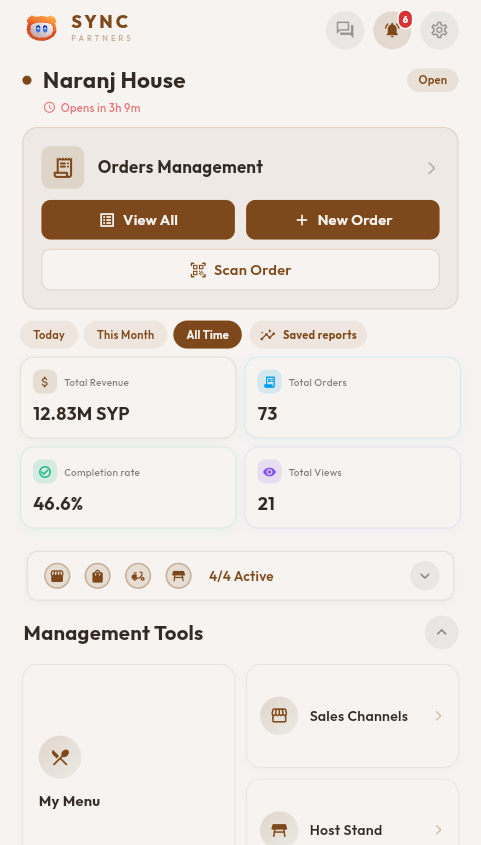
See active tables, reservations, revenue, order performance, restaurant status, and sync health in one opening view.
Each area shares the same restaurant context, permissions, pricing, and operational data—so teams can move from setup to service and reporting without stitching together separate tools.
Products, additions, categories, taxes, discounts, and dual currency.
Delivery, dine-in, takeaway, payments, timelines, and receipts.
Host Stand, tables, reservations, kitchen routing, drivers, and staff roles.
Restaurant link and QR, branded menu, checkout, tracking, and accounts.
Reports, customers, sales channels, campaigns, and exports.
Sync is designed around the life of a real restaurant operation. Information entered at the beginning of the flow stays useful through service, fulfillment, customer follow-up, and management review.
Build menus, additions, pricing, taxes, currencies, restaurant availability, and delivery rules.
Start from a customer order through your own link or QR, a reservation, a walk-in table, or direct staff entry.
Keep floor roles, table sessions, kitchen sections, order status, and staff permissions connected.
Collect payment, prepare receipts or kitchen tickets, assign delivery, and expose customer tracking.
Review performance, customers, products, expenses, channels, campaigns, and exported results.
The connecting idea: the same menu, price, role, order, and restaurant context moves through the operation instead of being recreated in separate tools.
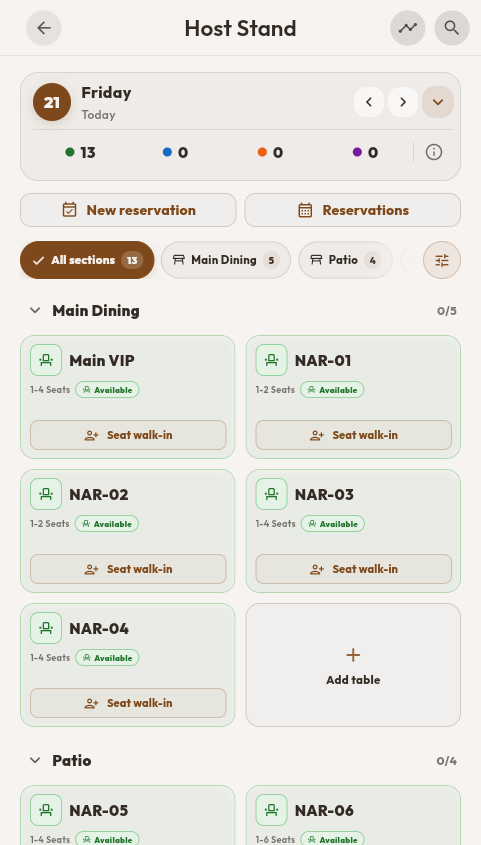
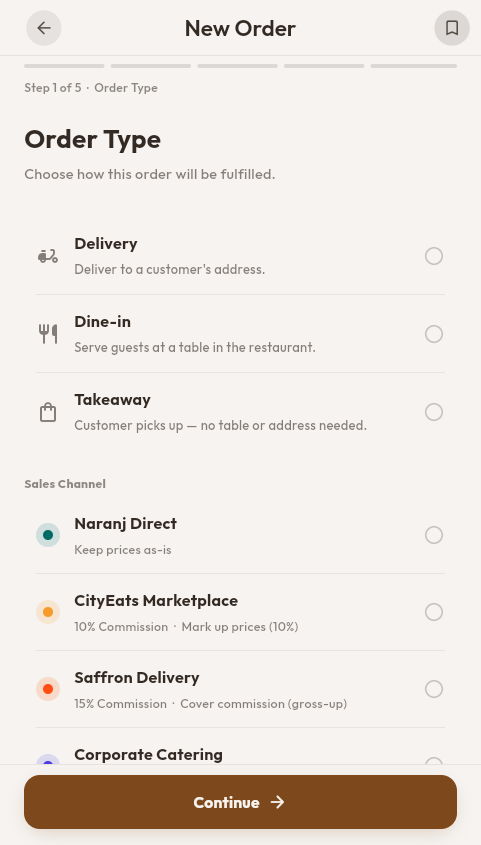
The closed-beta build connects the restaurant floor with order creation and fulfillment. Teams can manage tables, seat walk-ins, create reservations, and build delivery, dine-in, or takeaway orders from the same product.
The customer ordering experience is not a separate product. It reads the same restaurant configuration your team manages in Sync, so what customers see follows how the restaurant actually runs. Customers usually arrive through the restaurant’s own link, QR code, or campaign and land on its page and menu.
The current beta covers the setup before an order, the customer touchpoints around it, and the tools used to understand what happened afterward.
Keep the operational rules that affect service in one managed context.
Customers follow their order and keep their records without ever seeing the management workspace.
Use operational history to understand demand and prepare more relevant follow-up.
Not every team member sees or changes everything. Specialized kitchen and delivery workspaces stay focused, while owner and management roles receive broader operational controls.
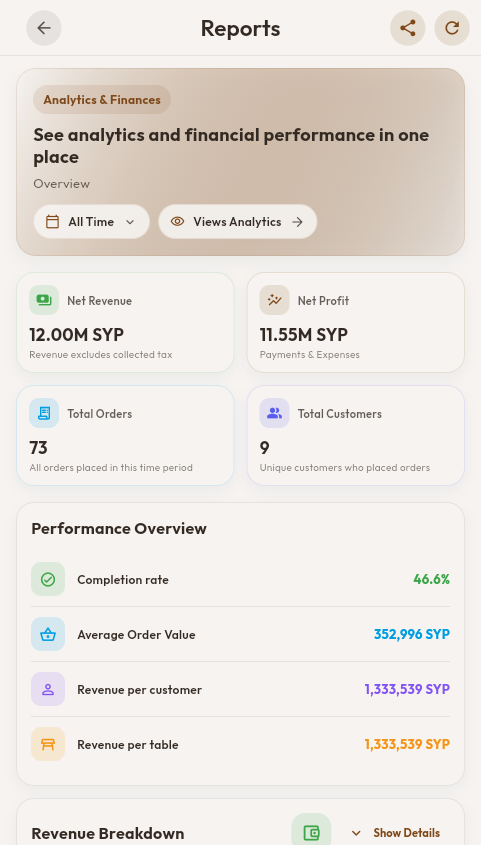
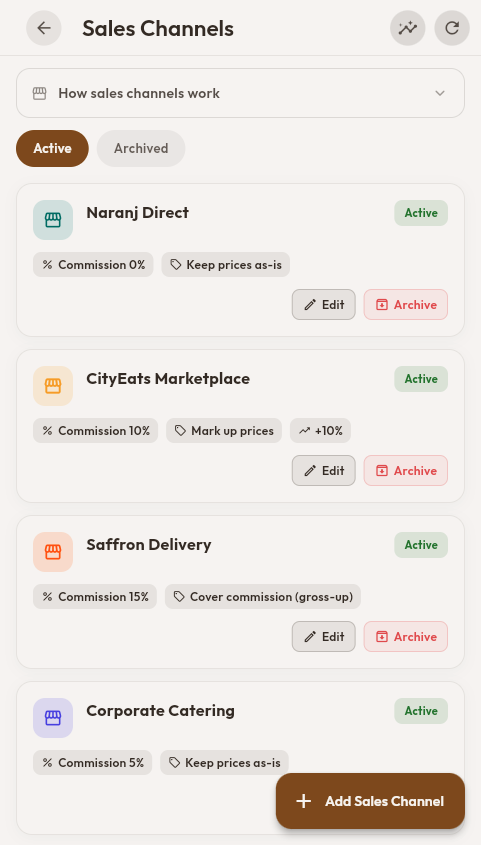
Owners and managers can review revenue, orders, customers, completion, expenses, and sales-channel performance. Date and currency controls keep the same reporting workspace useful across different restaurant contexts.
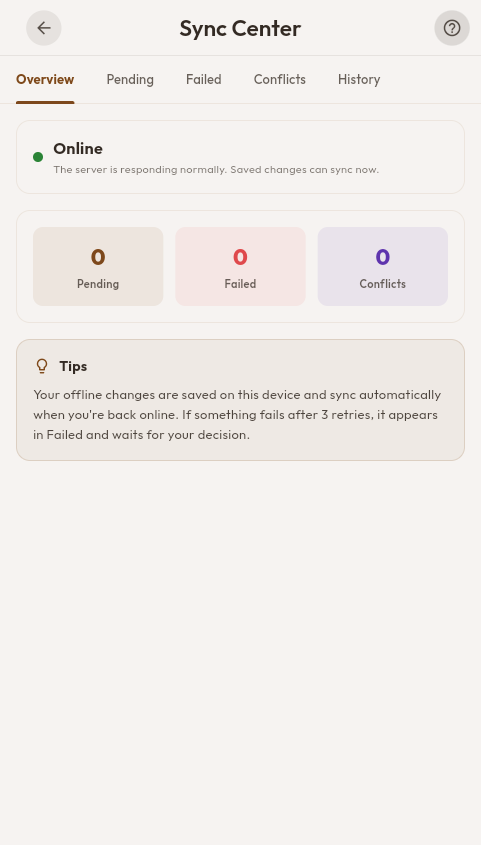
Selected workflows stay usable on each supported device during connectivity loss. Valid cached pages can remain readable, supported changes queue locally and are reconciled with the server after reconnection, and Sync Center keeps pending work, retries, failures, and conflicts visible. Devices do not synchronize directly with one another while offline, and online-only actions wait for a connection.
Sync treats reliability and protection as operational systems, not blanket promises.
Background push notifications on supported devices and browsers, with an in-app fallback when push isn’t available. Availability and background behavior depend on platform support, permissions, installation state, account configuration, and connectivity.
Role-based access controls, authenticated sessions, encrypted network traffic, and permission boundaries help protect restaurant data. Additional security hardening is ongoing during closed beta.
Role-based access keeps each team member focused, while the same Sync workspace adapts across supported mobile, web, and desktop targets. Platform availability and packaging will be confirmed at public launch.
Public access is not available yet. Join the waitlist and our team will review your request, reply within 24 hours, and plan team-assisted onboarding for accepted beta participants.
Sync is especially suited to restaurants that run in-house service and also take direct delivery or online orders, because that is where one connected system matters most. All restaurant types are welcome in the closed beta.
The waitlist is free and does not create an account or guarantee beta acceptance.